
Getting cuanjp on your device
-
Download the APK or visit on your browser
Android users download directly from cuanjp.app; iOS users open Safari or Chrome and navigate to our mobile site.
-
Install and launch
Allow installation from unknown sources if prompted (this is standard for direct APK installs), then tap the app to open it.
-
Create an account or log in
Enter your email, mobile number, and password. We send a verification code via SMS and verify your identity with a government-issued ID.
-
Set up your payment method and start
Choose from DANA, e-wallet, mobile banking, local payment, or bank transfer. Deposit, and you're ready to explore slots, live tables, football markets, or esports.
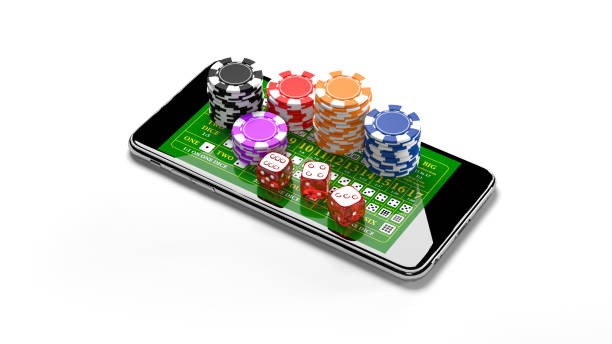
App vs. browser: Which works for you
Our cuanjp app downloads once and runs offline-ready—assets cache locally, so tournament brackets, game tiles, and account menus load instantly even on slower connections. You'll receive push notifications for tournament starts, deposit confirmations, and withdrawal status updates without opening the app. The Android app integrates with your device's credential manager, so you won't re-enter your password every session.
The web version works identically and requires no storage space on your device. Choose the web version if you prefer a lighter footprint or use multiple devices regularly. Both sync in real time, so a withdrawal requested on your phone completes whether you're checking it on your laptop or back on mobile.
Device requirements and compatibility
Our Android app works on Android 7.0 and newer. iOS users benefit from Safari or Chrome on iOS 12 and above; the web app delivers the full experience without requiring App Store approval, which can sometimes delay updates. Older devices may experience slower load times on complex pages like live-dealer lobbies with multiple camera feeds, but cuanjp remains accessible. If you're unsure whether your phone qualifies, visit cuanjp.app on your device's browser—it detects your OS and suggests the best installation path.
Certificate trust and unknown sources: what's safe
Android asks you to allow installation from "unknown sources" because we deliver the APK directly rather than through the Google Play Store. This is industry-standard for independent sportsbooks. Your phone's built-in security scans the APK during installation. If your browser shows a certificate warning on first visit, it's because our domain uses HTTPS—your data is encrypted and protected. Trust the connection.
Data usage and account security
We at cuanjp encrypt all traffic between your device and our servers using TLS (Transport Layer Security). Your password, payment methods, and identity documents never leave our secure servers—nothing sensitive is stored on your phone. The app uses standard Android and iOS permission frameworks; we request camera access only if you choose to upload ID photos for verification, microphone access only if you launch our live-dealer chat, and location access never (we determine your jurisdiction through your registered IP and account details, not GPS). Your deposit history, withdrawal confirmations, and tournament records stay private and accessible only to you via your login credentials. If you lose or replace your device, simply log in on the new one—your account remains intact.
Stuck on installation, unsure if your device qualifies, or locked out after switching phones? Our team responds during business hours in your preferred language and walks you through account recovery, permission fixes, and re-authentication.